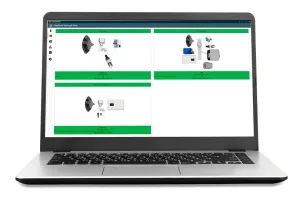
Agilent VWorks automation control software is a powerful, intuitive solution to control Agilent automation instruments, seamlessly integrating multi-instrument workflows. Scalable and dynamic, VWorks helps maximize lab productivity while expanding automation to a network of integrated devices to ensure maximum throughput and optimal resource utilization. VWorks is available in Standard and Plus versions to fit your lab’s needs.

VWorks Plus includes all the capabilities of VWorks Standard, and adds powerful new features that help you meet US FDA 21 CFR Part 11, EU Annex 11, and other regulatory requirements in your lab. VWorks Plus helps maintain your lab’s accountability, data integrity, and sample-handling audit trails.


Features:

  • VWorks Plus features enhanced user management and a simple user interface in addition to all features present in VWorks Standard, including the ability to combine instrument control and integrate multi-instrument workflows
  • E-Signatures provide documented record progression for improved traceability
  • Built-in technical controls combined with procedural controls ensure the security of your data, control access, and facilitate compliance as defined by US FDA 21 CFR Part 11, EU Annex 11, and similar national electronic record regulations
  • Timed lockouts and detailed logs of user actions provide traceability
  • Audit trails and reporting enhance auditability
  • Secure file handling and tamper detection features ensure data integrity
  • Different security states for record files for appropriate levels of security enforcement enable compliance within your workflow
  • Compatible with the Agilent Bravo NGS workstation, Agilent Bravo SRT automated liquid handling platform, Agilent Bravo BenchCel workstation, and other BenchCel workstations
Software type
  • Offline programming
  • Simulation
  • Monitoring
  • Bin picking
  • Palletizing
  • Calibration
  • Developer tools
  • Vision
  • Scheduling
  • Welding

VWorks Automation Control Software Plus Downloads

Datasheet vworks automation control plus 14 0 5994 2893en agilent
You need to register to download this file.

VWorks Automation Control Software Plus Alternatives

See all 89 Robot Software
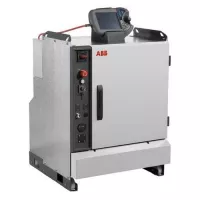
ABB IRC5
Offline programming | Simulation | Developer tools | Vision | Scheduling | Welding

5/5 (2)

ABB's IRC5 is an advanced robot controller, known as the benchmark in robot controller technology. It stands out with unique motion control capabilities, offering flexibility, safety, modularity, application interfaces, multi-robot control, and PC tool support. The IRC5 can be easily integrated into various robotic systems, and its variants provide cost-effective solutions for different industries like automotive and electronics. Safety is a key feature of IRC5, equipped with built-in safety functions like safety-rated stop and emergency stop. Its modularity allows easy maintenance and system upgrades, while supporting multi-robot control for seamless collaboration. The controller offers various application interfaces, including fieldbus and Ethernet, facilitating integration into diverse applications like material handling and painting. Compatible with ABB's RobotStudio and third-party software tools, the IRC5 simplifies programming and simulation for robotics applications, reducing development time and costs. With its wide range of features and capabilities, the IRC5 is a versatile, high-performance choice for industrial automation, especially in demanding and safety-critical environments.
Agilent Technologies VWorks Automation Control Software Standard
Scheduling

4.4/5 (1)

Agilent Technologies VWorks Automation Control Software Standard provides an advanced solution for managing multi-instrument workflows in laboratory automation. It integrates various Agilent instruments such as the BenchCel microplate handler, Bravo liquid handling platform, and BioTek products, offering seamless control and coordination across devices. This integration supports the optimization of lab productivity and throughput by facilitating dynamic and scalable automation setups.The software features an intuitive graphical user interface that simplifies the creation and execution of protocols. Users can design application forms that streamline routine tasks, reducing the need for extensive training. Additionally, VWorks Standard supports local user accounts or integration with Windows Active Directory, enhancing user management and access control.VWorks Standard also includes a range of tools for improving efficiency and reliability. It allows for simultaneous execution of multiple protocols, real-time monitoring via Gantt charts, and automated error recovery. The software’s capabilities in scheduling, diagnostics, and advanced looping features ensure minimal delays and optimal performance in complex automation scenarios.
BIOSERO Green Button Go Scheduler
Scheduling

4.7/5 (1)

BIOSERO's Green Button Go Scheduler is an automated laboratory scheduling software designed to optimize the utilization of devices, instruments, and workcells in laboratories. It offers user-friendly software with drag-and-drop functionality, making it accessible to users without specialized automation engineering knowledge. With best-in-class error-handling tools and error-recovery methods, users can ensure smooth and efficient laboratory processes.Unlike traditional laboratory automation that starts with a single workstation, Green Button Go Scheduler prioritizes workflows. By starting with the workflow rather than the workstation, users can avoid being dependent on specific drivers, waiting for integrations, or dealing with software changes when switching manufacturers. The software's modular approach allows for better error recovery and analytics insights, ensuring the holistic optimization of device and process efficiencies across multiple instruments and workstations.Green Button Go Scheduler's standout features include the ability to build and configure workstations easily, start processes instantly with drag-and-drop operations, and schedule and monitor real-time progress. Its compatibility with various devices and instruments and its focus on workflow-based automation make it a unique option for industrial automation in the laboratory setting, streamlining processes and maximizing productivity with simplified controls and powerful insights.
Onrobot PALLETIZING - INTUITIVE, STEP-BY-STEP PALLETIZING SOFTWARE
Palletizing
No reviews yet.
Intuitive software is seamlessly integrated with OnRobot palletizing tools and robot teach pendant for fast deployment and changeoversProgram in under 10 minutes with automatic pallet pattern generation and alerts for potential program issuesImprove cycle time and equipment lifespan with automatic optimization of robot path planningFully integrated with OnRobot Palletizer components with automatic detection and settings for gripper and lift OnRobot’s intuitive palletizing software ensures fast set-up and changeovers of palletizing applications. The software can be used with a wide range of supported robot brands, and its step-by-step wizard includes hardware and application configurations directly from most robots’ teach pendant. The software generates automatic path optimization and alerts for potential program issues to reduce cycle time, extend equipment life, and lower electricity bills. Advanced options include approach/retreat points for boxes and slipsheet in-feed/out-feed and safe points. Programming in under 10 minutesAutomatic pallet pattern generation and alertsAutomatically detects and sets up OnRobot gripper and robot liftIntegrated with leading robot arms The OnRobot palletizing software offers out-of-the-box integration with the modular and affordable full OnRobot Palletizer solution, or can be deployed with any leading robot brand. You get fast, easy deployment and future-proof flexibility for a wide range of palletizing or manufacturing applications.